Most "AI in your business" stories stop at conversation. You ask, it answers, and you go do the work. Zoho MCP is interesting precisely because it closes that gap — it lets an AI agent you already use carry out real, multi-app workflows from a single plain-language instruction. But it's also one of the most misunderstood launches of the year, partly because the name invites the wrong assumption. Let's clear that up and look at what it actually does.
First, what is MCP?
MCP stands for Model Context Protocol. It's an open standard that defines a consistent way for applications to talk to large language models. The problem it solves is simple: AI models are smart but blind to your tools. They don't know your CRM exists, can't see your invoices, and have no permission to send an email on your behalf. MCP is the bridge — a standard "port" that lets a model receive the right context and call the right actions in external software.
Think of the AI model as a capable new hire who knows nothing about your systems on day one. MCP is the badge, the desk, and the list of "here's what you're allowed to do." Without it, the model can only talk. With it, the model can work.
What Zoho MCP actually is (and what it isn't)
Here's the part that trips people up: **Zoho MCP is not an AI.** It doesn't think, reason, or generate anything on its own. It is a service that lets you build your own MCP servers and load them with tools drawn from Zoho's apps and a growing roster of third-party services.
The intelligence comes from the *MCP client* — an AI model like Claude or ChatGPT that you connect to your server. Zoho MCP's job is to hand that client the right context and a precisely scoped set of actions it's permitted to take. The client supplies the brains; the server supplies the reach and the guardrails.
That distinction matters for how you talk about it. The accurate framing isn't "Zoho launched AI agents." It's "Zoho launched a way to let the AI agent you already use act across your Zoho and third-party apps, safely." Getting that right is also reassuring to anyone nervous about handing autonomy to software: the server only ever exposes the specific tools you configure, and nothing beyond them.
The intelligence comes from the *MCP client* — an AI model like Claude or ChatGPT that you connect to your server. Zoho MCP's job is to hand that client the right context and a precisely scoped set of actions it's permitted to take. The client supplies the brains; the server supplies the reach and the guardrails.
That distinction matters for how you talk about it. The accurate framing isn't "Zoho launched AI agents." It's "Zoho launched a way to let the AI agent you already use act across your Zoho and third-party apps, safely." Getting that right is also reassuring to anyone nervous about handing autonomy to software: the server only ever exposes the specific tools you configure, and nothing beyond them.
How it works in practice
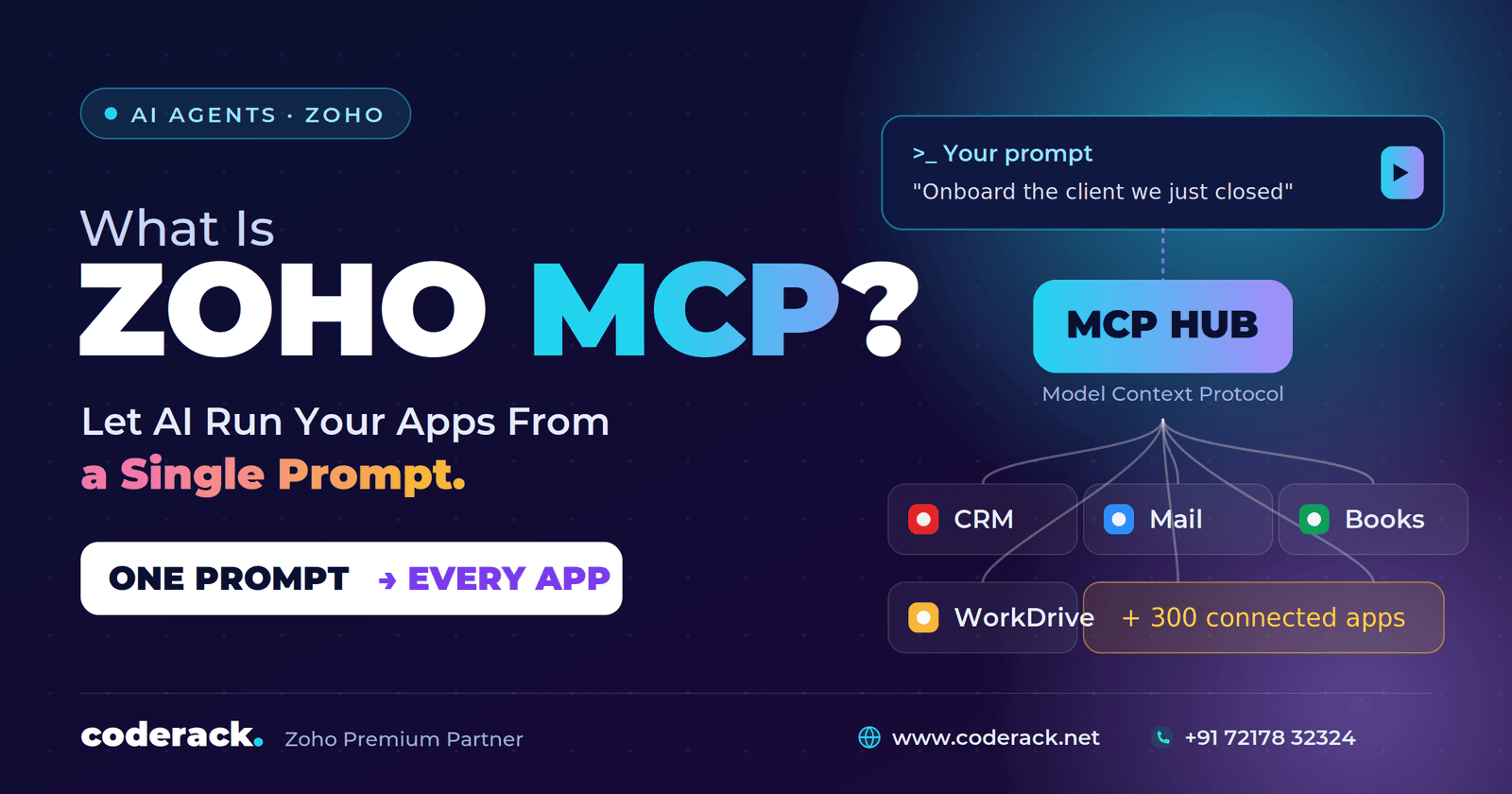
The flow is short. You connect your configured Zoho MCP server to your AI client, then prompt the client in plain language. The client extracts the intent from your prompt, matches it against the tools available in the server, and executes the necessary actions across the relevant services — start to finish, with no further input beyond that first instruction.
Zoho's own example makes it concrete. Imagine you've just closed a deal and need to onboard the client. Normally that means a string of manual steps across several apps: send a welcome email with the Master Services Agreement, generate and send an invoice while CC'ing your accounts lead, share an onboarding link, book follow-ups, and mark the deal closed in your CRM. Each step is a context switch, and each is a chance to forget something.
With an MCP server configured against Zoho CRM, Mail, Books, and WorkDrive, you instead give your AI client one instruction — something like "email our sales-completion template to the deal we just closed, attach the Master Services Agreement from WorkDrive and the invoice from Books, and CC our accounts admin." The client reads the intent, pulls the document, fetches the invoice, composes the email, and sends it. No code, no screen-hopping.
Why this is different from traditional API integrations
If you've built Zoho integrations before, you might wonder how this differs from wiring up APIs. The gap is meaningful.
Traditional API integrations are *automated* at best, not *autonomous*. Each one is built, authenticated, and maintained separately, and each call is independent — no shared context, no awareness of the larger goal, and error handling you have to code for every scenario in advance. The services don't cooperate; they run in silos.
An MCP-driven workflow is autonomous and context-aware end to end. Setup is typically a one-time configuration. The client discovers available actions from natural language, handles parameters dynamically, retains context across the whole task, and can interpret errors and attempt recovery on its own. The practical difference is the gap between "we connected some tools" and "we handed a process to an agent."
What's actually in the box
A few features make Zoho MCP usable rather than just conceptually neat:
- Reach across 300+ services - You can build tools from hundreds of Zoho and third-party MCP-ready applications — and it's genuinely not Zoho-only. Third-party support already includes services like Trainer Central, ServiceDesk Plus, and Endpoint Central, with the likes of GitLab and Bitbucket being added.
- Pre-configured servers - If building from scratch feels daunting, you can start from a ready-made server for a common workflow — for example, CRM data and metadata operations — and customize it by adding or removing tools.
- Broad client support - Any MCP-compatible client works. Zoho documents step-by-step setup for Claude, ChatGPT, Cursor, Windsurf, and VS Code, plus custom clients that support HTTP or streamable transport. Cursor and VS Code even offer automatic, one-click configuration.
- No coding required - Technical knowledge helps, but it isn't a prerequisite. The service is built for business users, not just developers.
Security and governance: the part you can't skip
Handing an AI agent the ability to act in your systems rightly raises questions. Zoho's model puts the control in your hands in a few ways.
Access is strictly bounded by the tools you configure. An MCP tool defines exactly one action — Zoho's example is a "send email" tool from Zoho Mail. If a capability (say, downloading an email attachment) isn't exposed as a tool, the client simply cannot do it. The server is a fence, not an open door.
Authorization runs on OAuth 2.1, in two modes. Authorization on Demand is account-centric and the default — each user authenticates individually, which is ideal for solo operators or anywhere personal accountability matters, and it gives the tightest, most auditable access. Authorization via Connections is organization-centric: a Super Admin shares OAuth tokens with trusted team members so they can work without each setting up their own access, which is the cleaner fit for teams and the standard route for third-party tools.
For teams, the Collaborators feature lets a Super Admin invite members as Admins or Users and share servers without sharing credentials — consistent configuration, better access control, no duplicated setup. And Logs index every action a tool takes, recorded with standard HTTP status codes and filterable by time, status, and tool, so you can audit what your agents actually did. Logs are retained for 30 days.
One warning worth repeating to anyone setting this up: your MCP server URL carries its own secure access key and effectively is a password. Treat it with that level of care, and if you suspect it's been exposed, regenerate the key immediately.
Access is strictly bounded by the tools you configure. An MCP tool defines exactly one action — Zoho's example is a "send email" tool from Zoho Mail. If a capability (say, downloading an email attachment) isn't exposed as a tool, the client simply cannot do it. The server is a fence, not an open door.
Authorization runs on OAuth 2.1, in two modes. Authorization on Demand is account-centric and the default — each user authenticates individually, which is ideal for solo operators or anywhere personal accountability matters, and it gives the tightest, most auditable access. Authorization via Connections is organization-centric: a Super Admin shares OAuth tokens with trusted team members so they can work without each setting up their own access, which is the cleaner fit for teams and the standard route for third-party tools.
For teams, the Collaborators feature lets a Super Admin invite members as Admins or Users and share servers without sharing credentials — consistent configuration, better access control, no duplicated setup. And Logs index every action a tool takes, recorded with standard HTTP status codes and filterable by time, status, and tool, so you can audit what your agents actually did. Logs are retained for 30 days.
One warning worth repeating to anyone setting this up: your MCP server URL carries its own secure access key and effectively is a password. Treat it with that level of care, and if you suspect it's been exposed, regenerate the key immediately.
Getting started without overcomplicating it
A sensible first project looks like this:
1. Create a server in the Zoho MCP console — or pick a pre-configured one close to your use case.
1. Create a server in the Zoho MCP console — or pick a pre-configured one close to your use case.
2. Add only the tools you need - A focused server outperforms a sprawling one. Zoho recommends capping a server at around 300 tools so the client doesn't get confused and hallucinate — and note that some clients cap lower (Cursor, for instance, currently allows 40).
3. Connect it to your AI client and complete the OAuth authorization.
4. Start with one repetitive, low-risk workflow — something rule-heavy where a wrong call isn't catastrophic — and keep a human reviewing the output until you trust it.
5. Set authorization and roles before you scale, not after. Governance is cheaper to design in than to retrofit.
Conclusion
Zoho MCP isn't a flashy new chatbot. It's plumbing — the standardized, governed connection that finally lets the AI agent you already use reach into your business apps and finish a job rather than just describe one. The capability that used to require a custom integration project now starts with a configured server and a single prompt.
The smart move is to start narrow: one server, a handful of tools, one workflow you're tired of doing by hand. Measure what it saves, tighten the permissions, and expand from there. The protocol is ready. The question is which task you're willing to hand over first.
The smart move is to start narrow: one server, a handful of tools, one workflow you're tired of doing by hand. Measure what it saves, tighten the permissions, and expand from there. The protocol is ready. The question is which task you're willing to hand over first.
*Not sure which of your workflows are the right first candidates for an MCP server — or how to configure one safely? [Get in touch] and we'll map it out with you.